Free for Mac · Direct download or Mac App Store · Open Source

See where your AI
coding tokens go.

Arlo AI Analyzer reads the Claude Code and Codex CLI logs already on your Mac and turns them into token, cost and context reports — per session, per model, per day. Nothing leaves your machine.

Recommended: the .dmg build — v1.0.6, universal for Apple silicon and Intel, signed and notarized by Apple. It runs outside the App Store sandbox, so live insights, /context and Run in Claude Code work and you don't have to grant folder access.

Reads logs from Claude Code Codex CLI
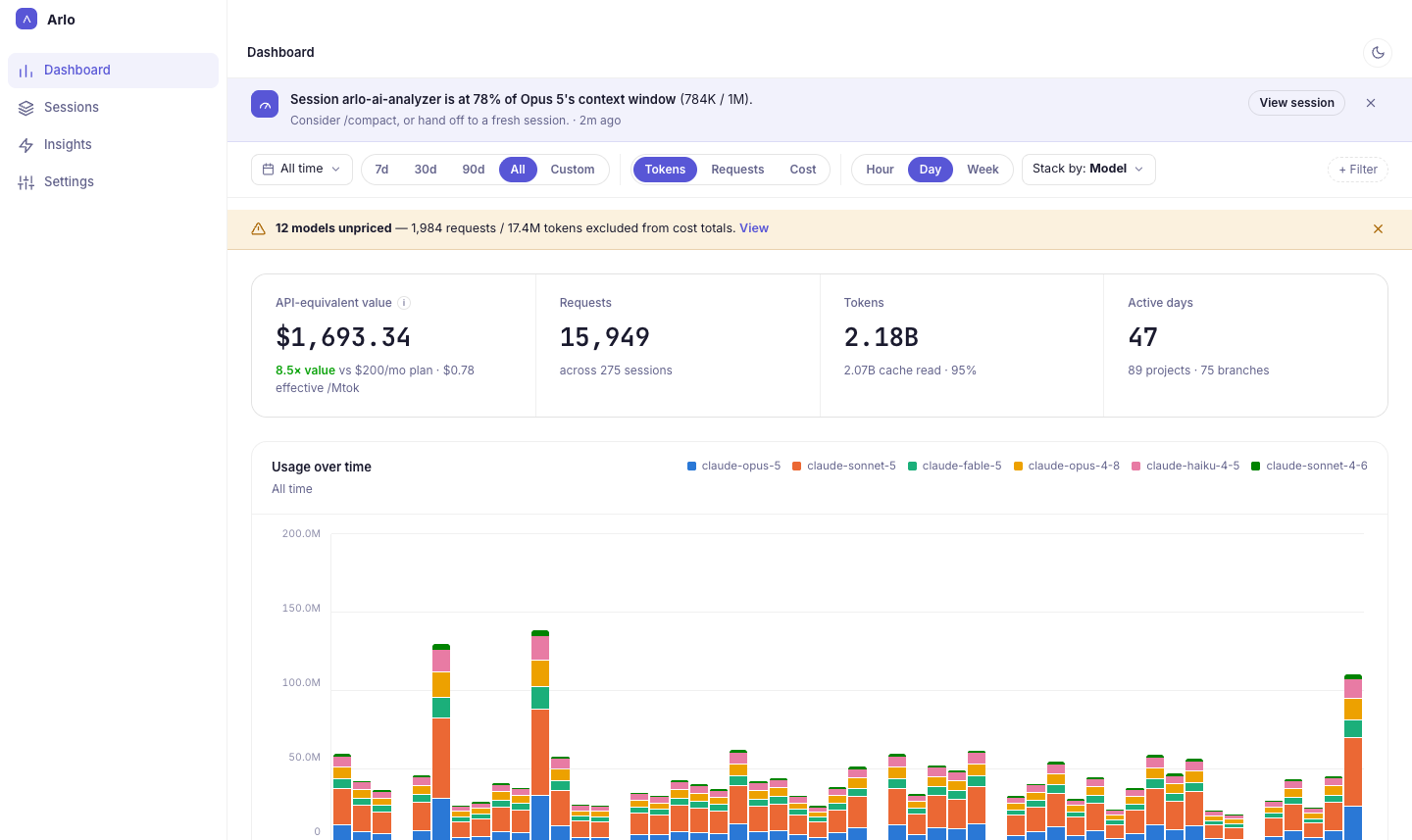
Arlo AI Analyzer dashboard: API-equivalent value, requests, tokens and active days above a daily usage chart stacked by model

Everything your logs already know

Your transcripts record every request. Arlo AI Analyzer reads them and shows you what they add up to.

Sessions

Every session, one table

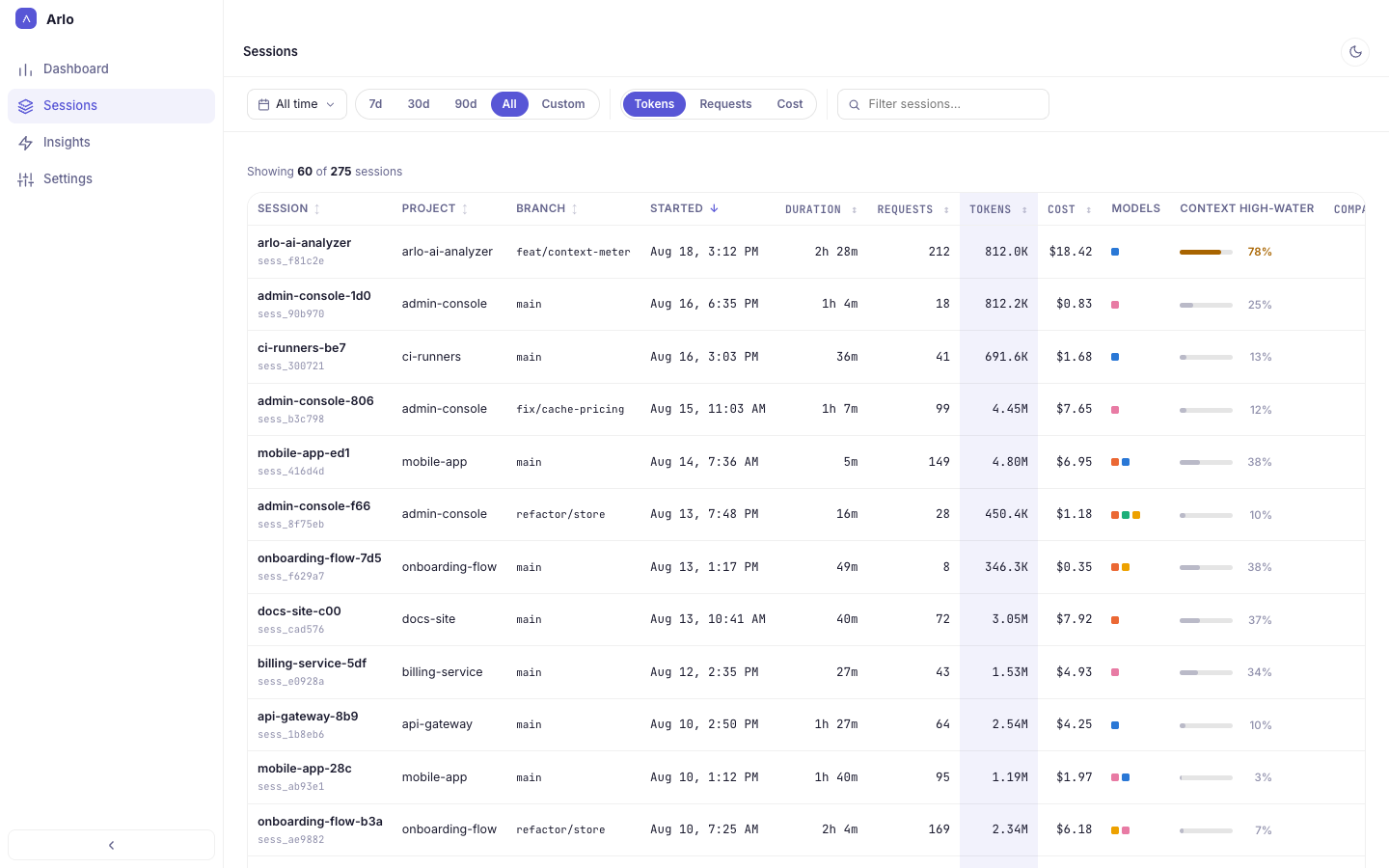
Each Claude Code and Codex CLI session with its project, branch, duration, requests, tokens and cost — and how full its context window got.

  • Sort by any column
  • Filter by date range or search by name
  • Context high-water mark at a glance
Sessions table with project, branch, start time, duration, requests, tokens, cost, models and context high-water mark
Session detail

Watch the context fill up

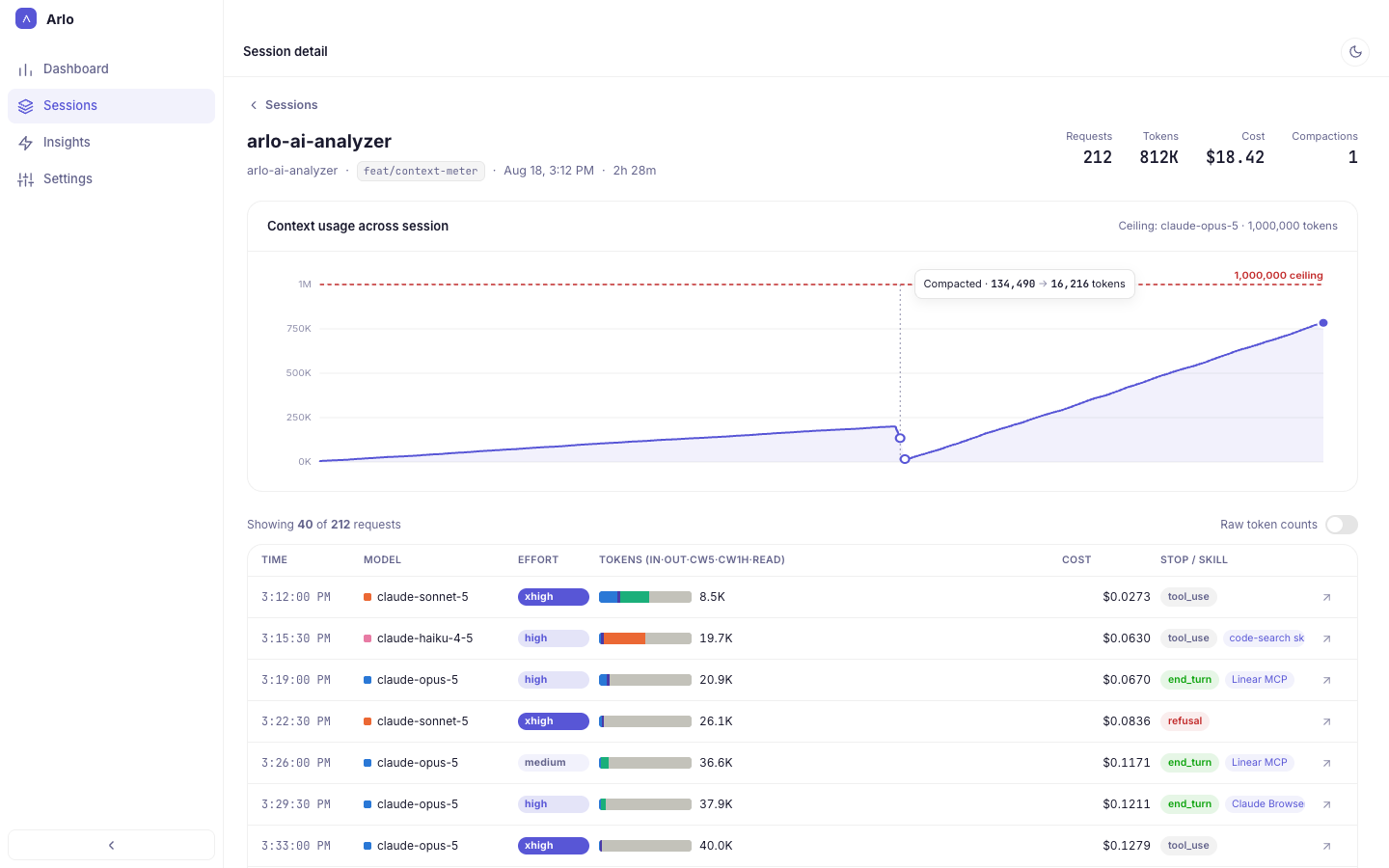
Open any session to see its context usage request by request, against the model's window as the ceiling, with every compaction marked where it happened.

  • Model, effort, tokens and cost for each request
  • Input, output, cache writes and cache reads broken out
  • Stop reason, and the MCP server or skill behind it
Session detail with a context usage chart that drops at a compaction, above a per-request table
Insights

Not just totals — what to change

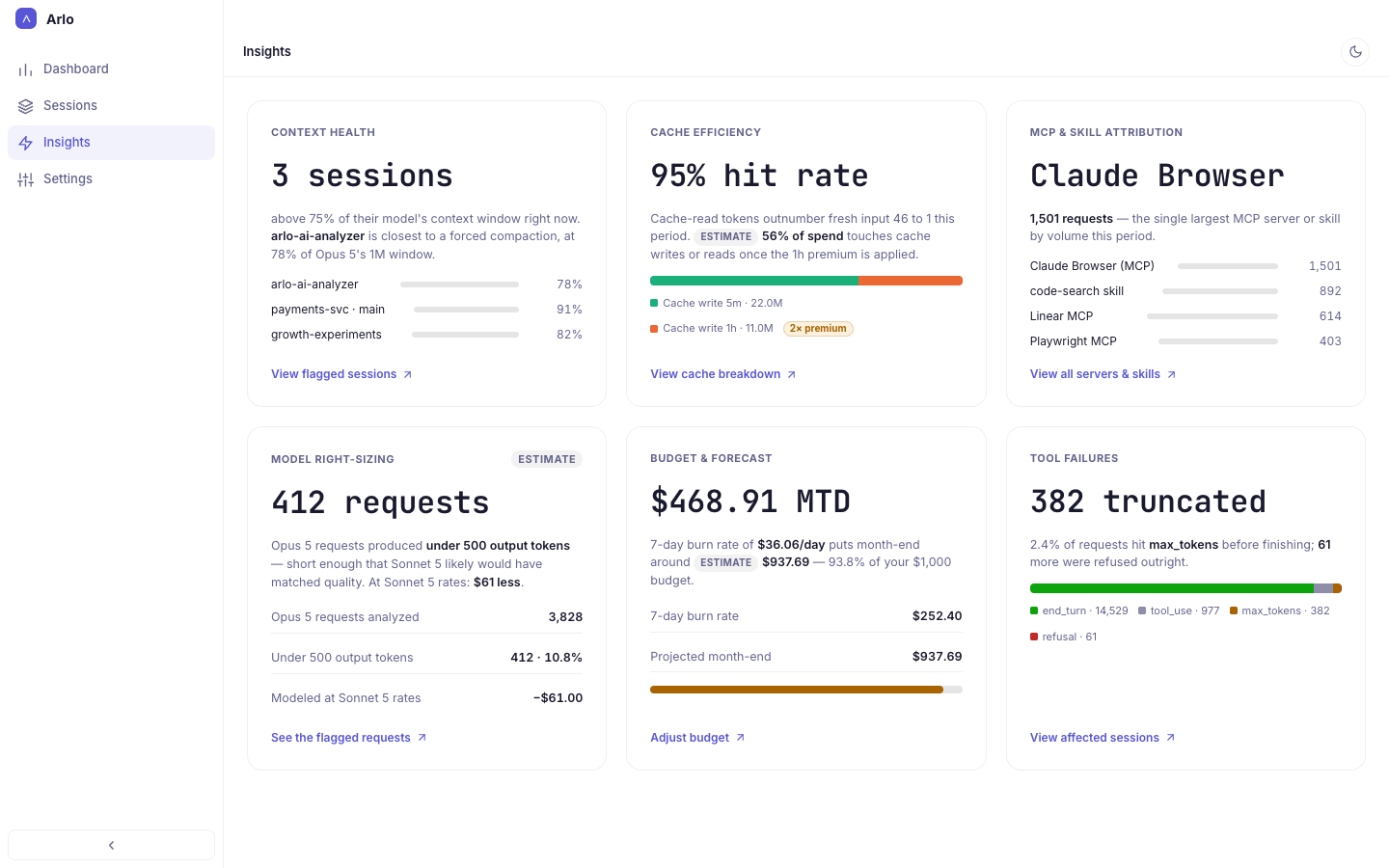
Six cards that point at the spend you can act on: sessions close to a forced compaction, how much of your traffic the cache absorbs, and which MCP servers and skills drive the most requests.

  • Requests a smaller model could have handled
  • Burn rate and month-end forecast against your budget
  • Responses cut off at max_tokens or refused
Insights cards: context health, cache efficiency, MCP and skill attribution, model right-sizing, budget and forecast, tool failures
Plan & alerts

Your plan, your budget, your alerts

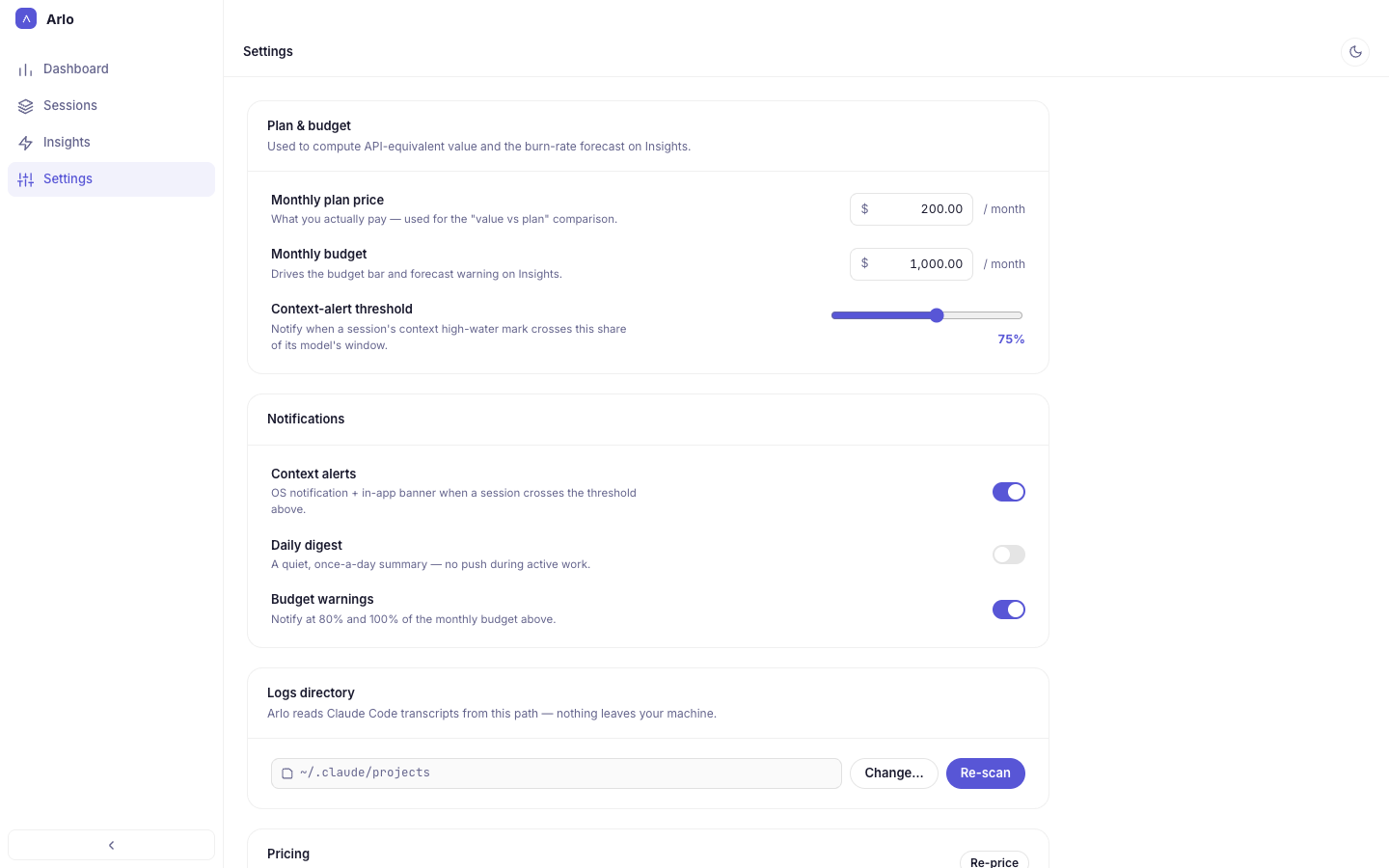
Tell it what you pay and what you mean to spend. It shows what your usage would cost at API rates, and warns you before a session runs out of context or the month runs out of budget.

  • API-equivalent value against your monthly plan
  • Context alerts at a threshold you choose
  • Budget warnings at 80% and 100%
Settings: monthly plan price, monthly budget, context-alert threshold, notifications and logs directory

Built to stay out of your way

No proxy, no API keys, no setup beyond picking a folder.

Reads the logs you already have

Claude Code and Codex CLI already write every request to disk. Point Arlo AI Analyzer at those folders and it keeps up as new sessions land.

Priced model by model

Claude rates are built in; other models come from a public price list updated daily, and you can add your own price for a self-hosted one. A model with no known price shows “—”, never $0.

Lives in your menu bar

Close the window and it stays in the menu bar, with today's spend one click away and an alert when a day runs past the limit you set.

Your sessions never leave your Mac

Local-first by design, not by a setting you have to find.

No account Nothing to sign up for, nothing to sign in to.
No telemetry No analytics, no ads, no tracking inside the app.
Read-only, folders you choose Sandboxed. It opens only the log folders you pick, and never writes to them.
One optional request a day The public model price list — the same file for everyone. Turn it off in Settings.

Read the privacy policy →